

Once the time is logged, don't start over again.
You already did the work. You already reviewed the time. Tidst keeps that information organised so you can use it again when a client asks for a report or it is time to bill.
No copying hours into a second system just to recreate the same month.
No credit card · Built for freelancers
From work to something a client can actually use
A time entry in Tidst can contain more than a duration. It can already know:
- which client and project it belongs to
- what the work was, and when it happened
- whether it is billable
- the rate that applied, and the value of the entry
Instead of rebuilding the month from scattered notes, your registered time becomes the basis for reports and invoicing.
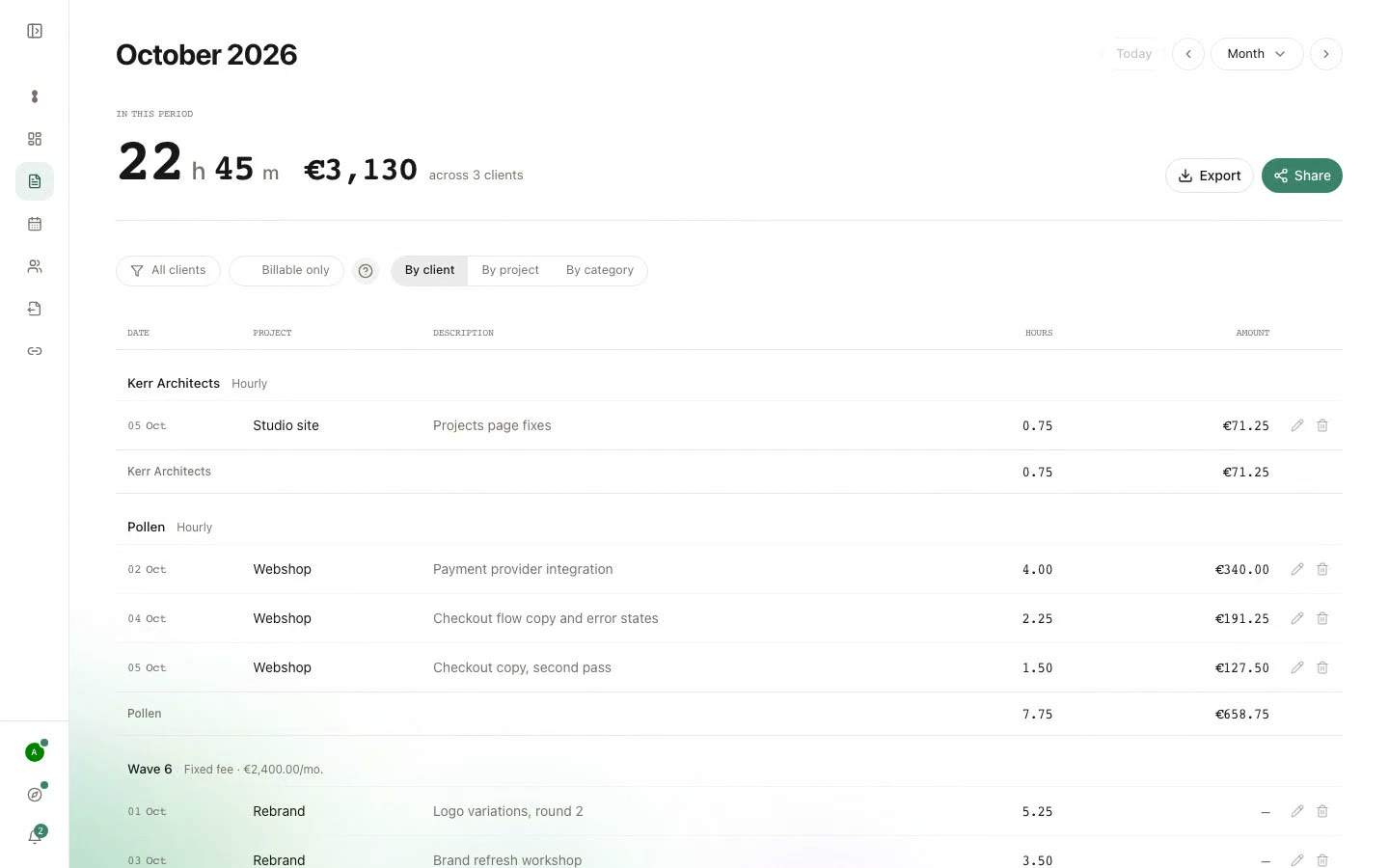
See the work behind the total
A client may only care that you worked 14 hours. Sometimes they want to know what those 14 hours actually contained.
Tidst reports keep the individual entries visible, so you can show both the total and the work behind it. Filter by client, project and period to see the time that belongs together.
- Hours
- See how much time was logged in the selected period.
- Value
- If the client has a rate, Tidst can calculate the value of the registered time.
- Entries
- Keep the task or meeting description with the time instead of reducing the month to one unexplained number.
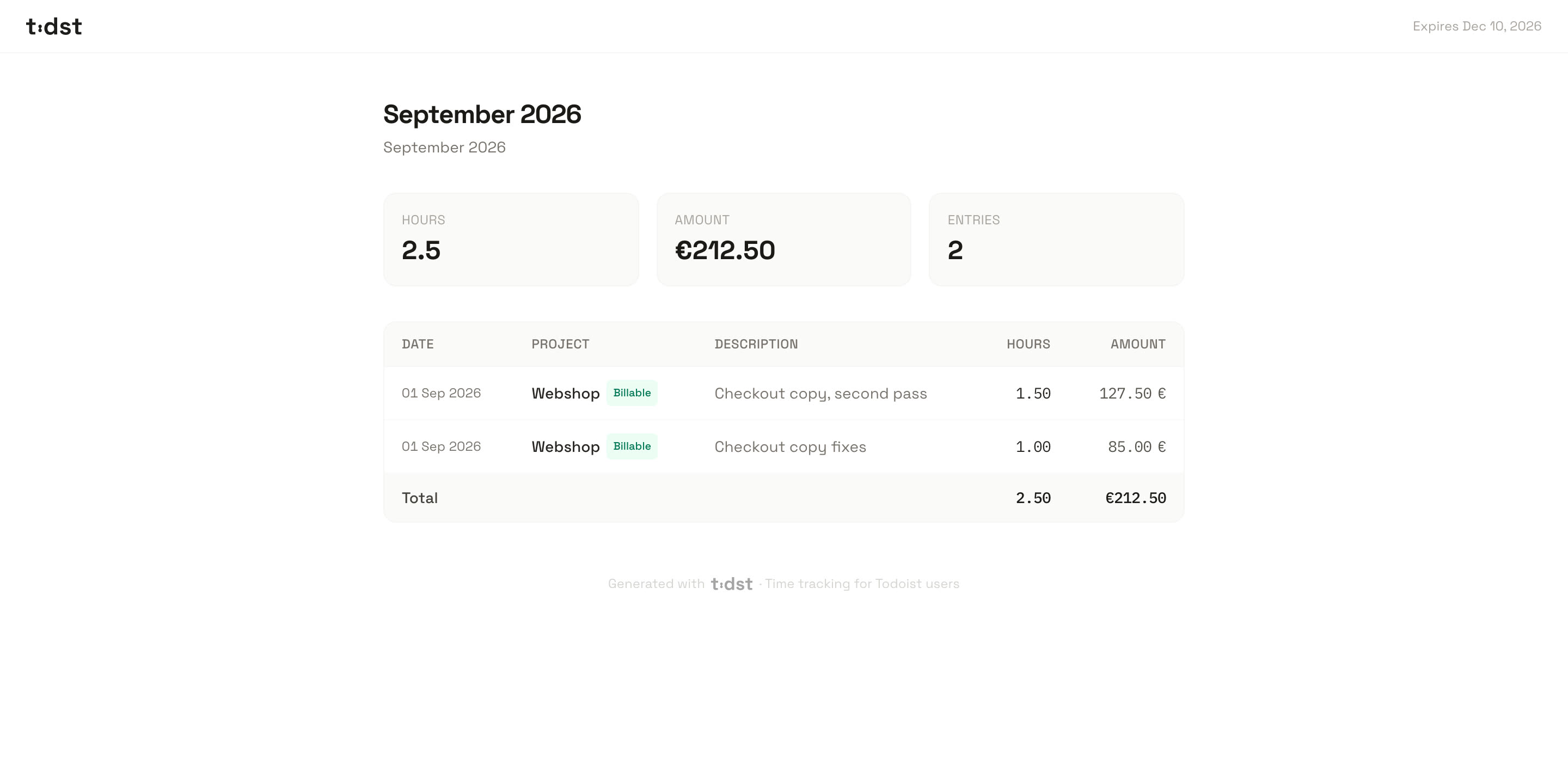
Share a live report
Send a link instead of another attachment.
Tidst can create a live report link for a client. Share it once and the client can return to the same link as new time is added, so you do not need to export and resend a new PDF every time something changes.
Use it when a client wants to keep an eye on hours during the month, or when you simply want one place for the current record. You decide when to share it.
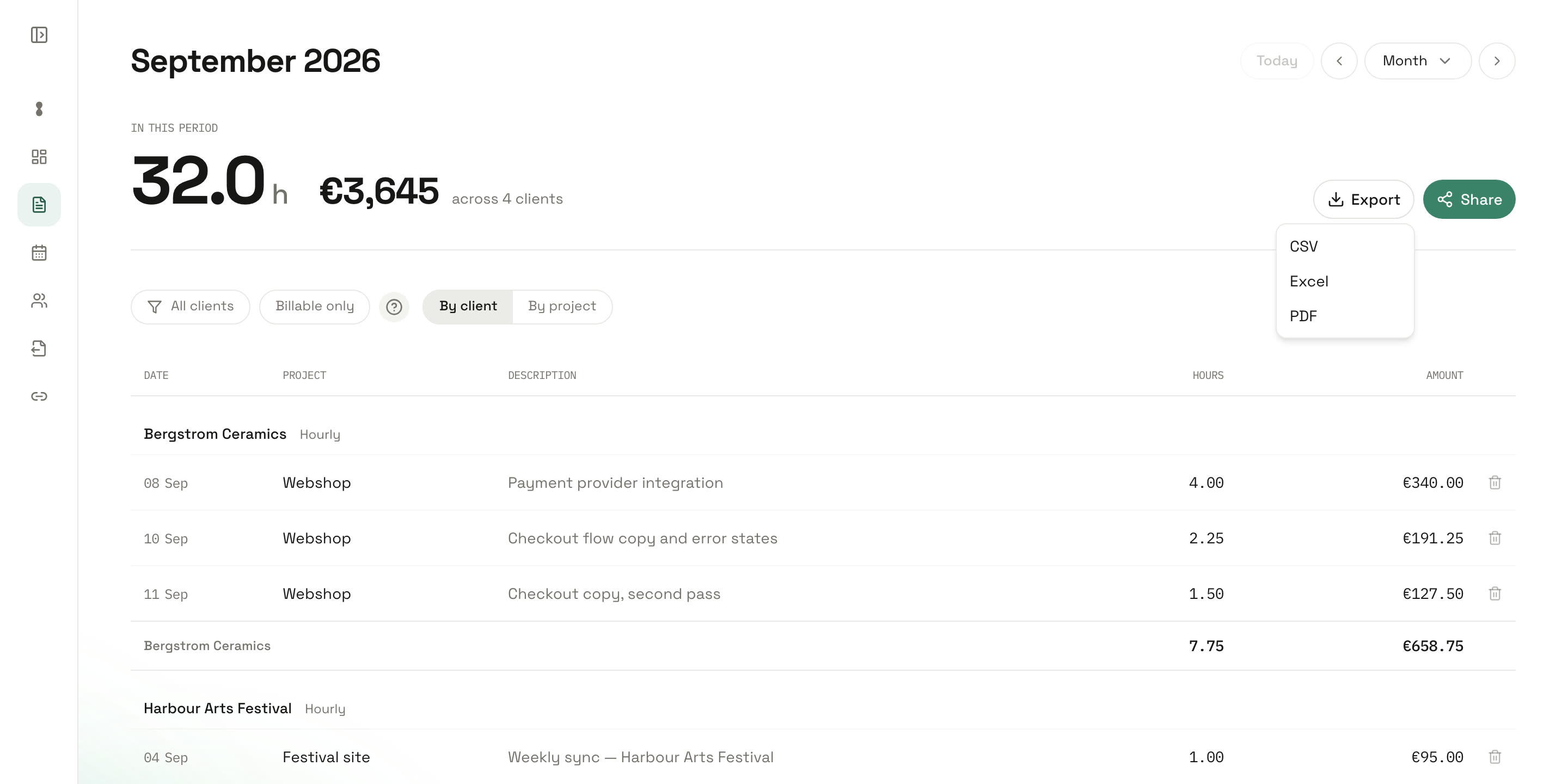
Export when you need a file
Sometimes a link is not the right answer. Tidst can also export your time as PDF or CSV.
- Useful when a client wants a clean time report to keep with an invoice.
- CSV
- Useful when the data needs to move into a spreadsheet, accounting workflow or another system.
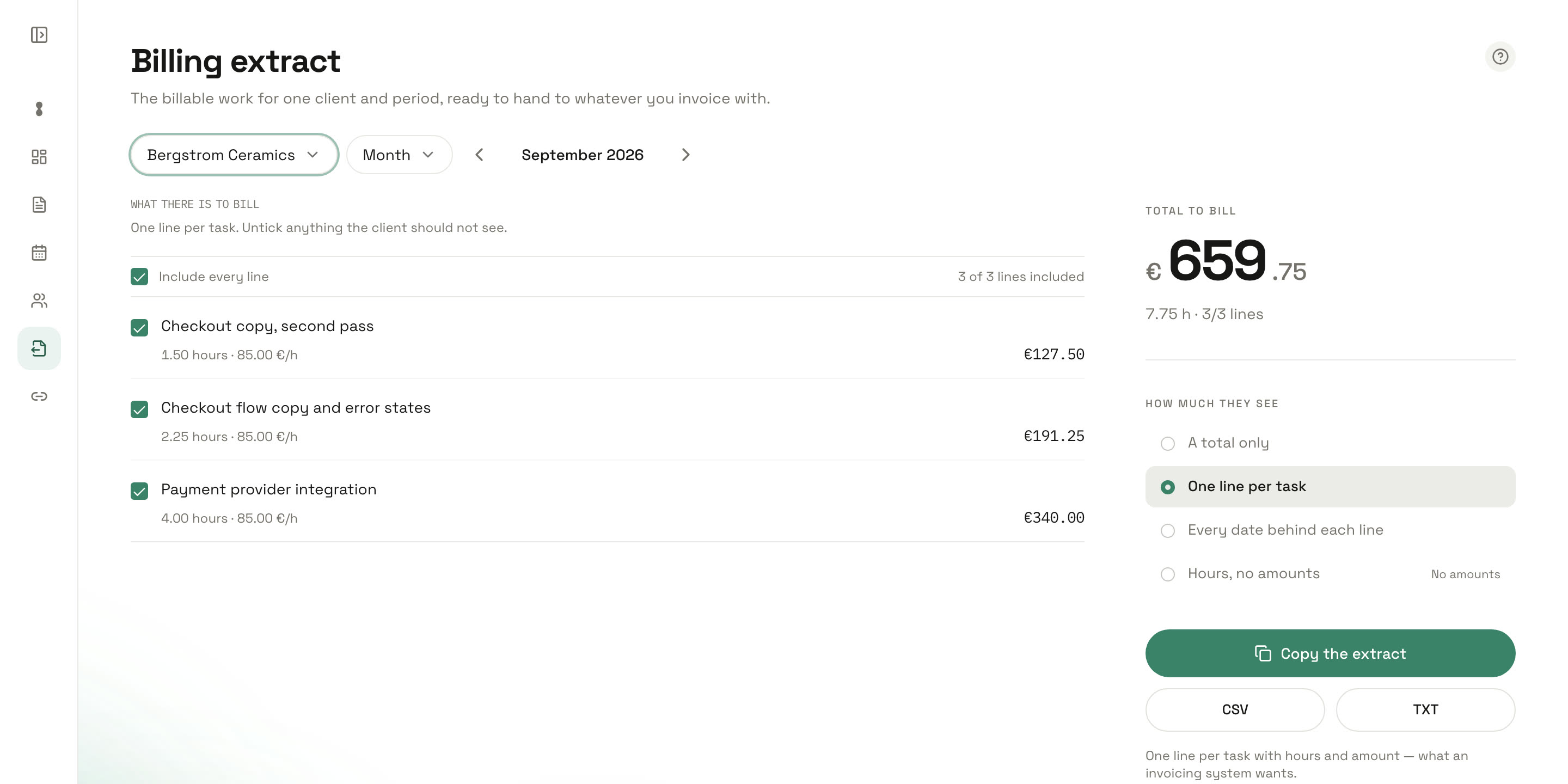
Get the billable work out of Tidst
The work is already there.
When it is time to invoice, you should not have to type the same client work in again. The client, the entries, the duration, the rate and the value are already part of the record. What is missing is only the step of getting them into the system that issues the invoice.
Tidst does not issue the invoice itself. An invoice has to carry a sender address, a VAT number, a delivery period, an unbroken number series and years of retention, and from 2026 to 2028 much of the EU requires business-to-business invoices to be structured and machine-readable. Your accounting system is built for that.
What Tidst is built for is the half your accounting system cannot do: knowing what the work was, what it was worth, and what it actually took.
- Hourly work
- For hourly clients, registered time and the client rate give you the amount before you open anything else. You still control which entries are included.
- Fixed-fee work
- Not every client is billed by the hour. A client can be set to a fixed fee instead, and the amount then comes from what was agreed rather than from the hours. The hours still get logged, which is what tells you whether the next project should cost the same.
- Costs
- A stock photo, a train ticket, a subcontractor. Add the cost to the client and it goes on the extract as a line of its own, beside the hours.
- Non-billable time
- Some work belongs to a client or project but should not be billed. Keep it in your records without adding it to the billable total, so your time data can still show what the project really required.
Rates can differ by client
Freelance work is rarely priced the same way for everyone.
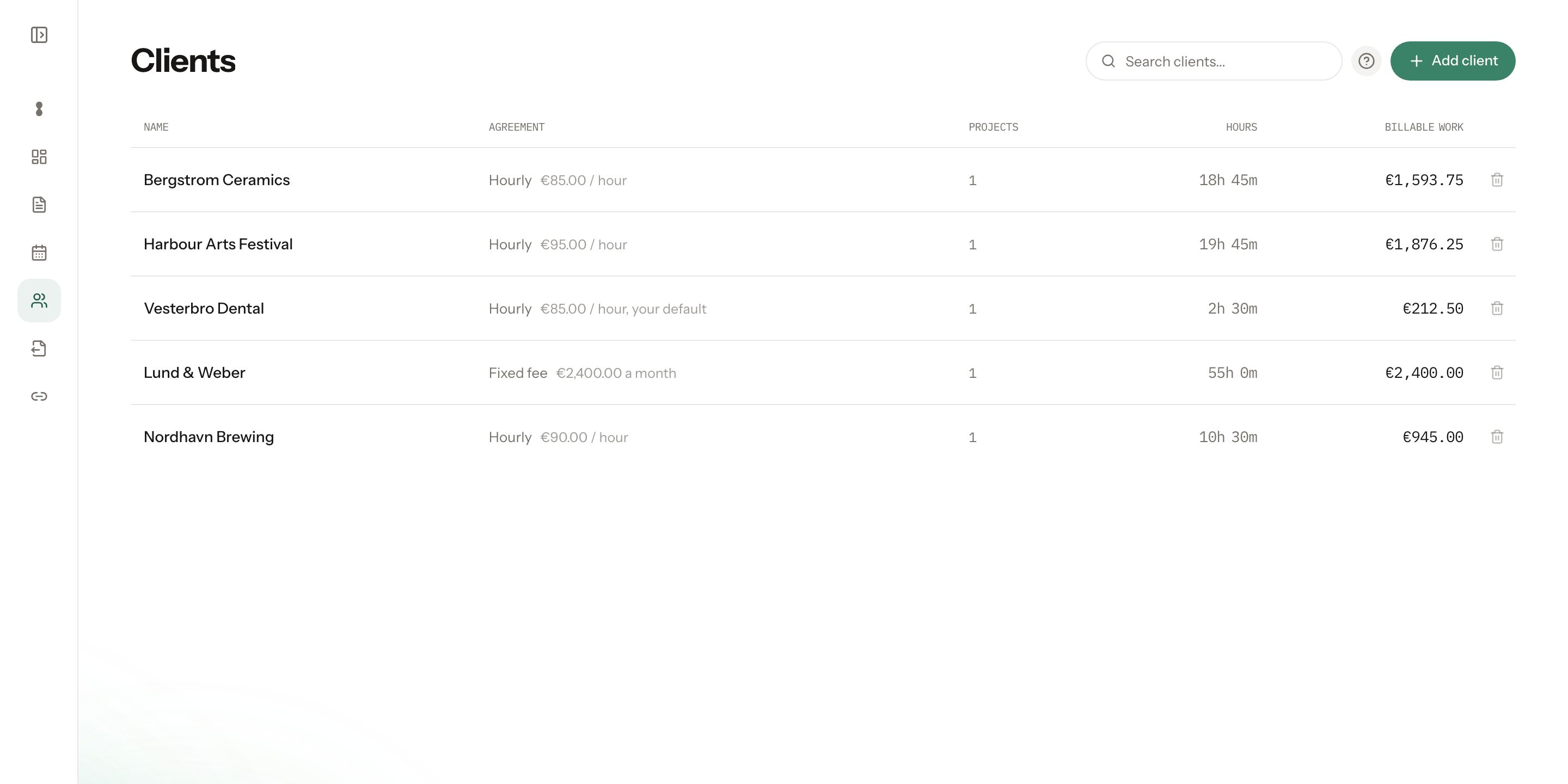
Tidst keeps rates with the work they belong to. A client can have its own rate, and an individual project can override it, so one client is billed at one rate while another uses something completely different.
So the amount is already resolved when you go to bill. No remembering which number applied to which client.
Keep an eye on the month before it is over
If you use budgets or targets, Tidst can show how a client or project is developing while the work is still happening: a target number of hours or a revenue target, against how much has already been logged.
It is easier to have a conversation about scope while there is still time to do something about it.
A simple month-end workflow
You spend the month working as usual. Finished tasks and relevant meetings wait in The Queue, and typed lines, the timer and manual entries cover the rest. You review the work and log the time.
At the end of the month:
- 1Open Extract and choose the client and the period.
- 2Check the priced lines, costs included.
- 3Choose how much detail the client sees.
- 4Copy the lines or download a CSV for your invoicing system.
The timesheet does not need to be reconstructed, because the work was already organised as you went.
Reports come for free.
The main job of Tidst is to make time easier to remember and log. Reports, and getting the billable work out, are what you get for having done that.
Do the work, log the useful parts, and let the records be useful when you need them.
FAQ
- Can I create a report for one client only?
- Yes. Reports can be viewed for the client and period you need, so unrelated work does not have to be mixed together.
- Can a client see my entire Tidst account?
- No. A live client report is a shared view of the information you choose to make available. It does not give the client access to your Tidst account.
- Do live reports update?
- Yes. A shared live report reflects newly logged time without you having to send a new file each time.
- Can I still export a PDF?
- Yes. Use PDF when you need a fixed report rather than a live link.
- Can I export CSV?
- Yes. CSV is available when you want the underlying time data in a spreadsheet or another workflow.
- Can I create invoices in Tidst?
- No. Tidst prepares what belongs on the invoice: the billable work for a client and period, grouped into priced lines. You issue it in the system you already use. That system owns VAT, numbering, archiving and the e-invoicing rules of your country, which are changing across the EU between 2026 and 2028.
- Do I have to bill by the hour?
- No. A client can be set to hourly, to a fixed fee, or to not billed at all. Tidst stays useful for fixed-fee work because the logged time still tells you what the project actually required.
- Can different clients have different rates?
- Yes. A rate can be set per client, and a project can override its client’s rate.
Once is enough.
Log it once. Then use the same record when the client wants to know what happened.
No trial · No credit card
Or read about The Queue and how Tidst works.